The AI coding agent leadership can actually approve.
LUCID Agent IDE lets your teams code with AI while your source, prompts & CUI never leave the host. A prompt-injection gate on every tool call that cannot fail open, per-model cost showback, sovereignty-aware governance, Remote to drive your desktop agent from your phone, Voice mode to put it down and talk to it, the LUCID Trainer to teach it the job, and now Fleet Mode: many gated agents at once, each on its own repo and model, every reply scanned. Bring any model, current generation: Claude Opus 5.5, Sonnet 5.5, GPT-6 Astra, Gemini 3.1 Pro, Grok 4.7. Now in light mode, or any of seven themes.
01 Start here · v2.3.1
Download. Install. Run. No GitHub required.
Built for managers and non-developers: one button per platform, plain-English steps, and zero prerequisites. Bun and the Unicode scanner are already inside the app - it even works air-gapped.
Windows
Recommended: the installer. Portable option if you can't install software.
Download for WindowsSimple install steps
- Click Download for Windows.
- Open the downloaded
LucidAgent-Setup.exe. - If Windows SmartScreen appears: More info → Run anyway.
- Finish the installer, then launch Lucid Agent from the Start menu.
- Pick a role and connect Claude, ChatGPT, Gemini, or an API key.
Portable version (no install)
macOS
Apple Silicon (M1/M2/M3/M4) primary. Intel package one click away.
Download for Mac (Apple Silicon)Simple install steps
- Click Download for Mac.
- Open the
.pkgand click through Install → Applications. - Open Lucid Agent from Applications (or Spotlight).
- If macOS blocks it (unsigned build): right-click the app → Open → Open again, or System Settings → Privacy & Security → Open Anyway.
Intel Mac, zip, or Homebrew
Intel .pkg · zip bundles: arm64 / Intel (drag to Applications).
Homebrew (technical users):
brew tap mlcyclops/lucid https://github.com/mlcyclops/lucidagentide
brew trust --cask mlcyclops/lucid/lucidagentide
brew install --cask lucidagentide
Linux
Portable AppImage - no package manager required.
Download for LinuxOn ARM64? Get the arm64 AppImage.
Simple install steps
- Click Download for Linux.
- Make it executable: right-click → Properties → Allow executing file as program, or run
chmod +x LucidAgent-x86_64.AppImage. - Double-click the file to run. No install step.
.deb / .rpm packages
Links always point at the latest successful release (currently v2.3.1). Direct file downloads - you never need a GitHub account.
2.4 Beta track · v2.4.0-beta.2 · opt-in
Want the newest models first? Join the beta track.
v2.4.0 ships as public betas before it reaches stable. Betas are GitHub prereleases: the buttons above, the in-app updater and the Homebrew cask stay on v2.3.1 until 2.4.0 is promoted, so nothing changes unless you opt in. To opt in, install a beta by hand. Installing it over 2.3.1 keeps your settings, sessions and sign-ins, a beta install updates itself to the next beta, and leaving the track is installing v2.3.1 over it.
Download the Windows beta (v2.4.0-beta.2) macOS, Linux & portable beta builds
Claude Haiku 5.5
The newest Claude model joins the picker at $0.10 / $0.50 per million tokens with a 1M context window and 128K output. LUCID adds its cost card and makes it the recommended checker model once your account lists it. The move to omp 18.8.6 also brings Anthropic prompt-cache fixes and sturdier OAuth refresh.
OpenAI sign-in by device code
For hosts where the browser callback never comes back (a blocked localhost port or a proxy answering 403), the OpenAI card offers Connect with a device code: type a short code on OpenAI's device page and nothing is pasted back. The normal sign-in is unchanged.
Microsoft's container behind the sandbox
Microsoft's signed eXecution Container is tried before LUCID's own AppContainer helper, with the same switch, folder grants, egress proxy and audit. Security > Runtime sandbox gains a one-prompt Prepare host (administrator) for the Windows steps it needs.
Scheduled jobs for Fleet lanes
Cron-style jobs (daily, weekdays, or a cron line) wake a Fleet lane while you are away. Jobs start disarmed, never preempt a human's turn, and every start, result and timeout lands in the Security panel's audit. LUCID must stay open for a job to run.
Beta.2 adds settings that survive a killed engine (atomic saves with a last-good copy) and LAN model servers over plain HTTP through the egress proxy. Found a beta bug? Open an issue with the beta number.
2.3 Released · v2.3.1
What's new in 2.3. Out now.
v2.3.1 is the current stable release, and the download buttons above already point at it. 2.3.0 brought a Windows sandbox chat works inside, typed judgment, a browser agent that reads before it clicks, Claude Opus 5.5 and Sonnet 5.5, GPT-6 Astra, Sol and Luna and Grok 4.7, several accounts per provider, and a long list of dead ends removed; 2.3.1 adds four new games. The next release is already in testing on the opt-in beta track.
A Windows sandbox chat works inside
The agent runtime runs inside a Windows AppContainer: files only in the folders it has been granted, no direct internet, and model traffic through LUCID's audited proxy. The pill turns green only after the real runtime boots inside it. The Security panel has the switch, a Windows folder picker, and the list of every folder the sandbox can reach.
Jev, typed judgment
Classifications, yes/no checks and scores come back as typed answers with probabilities and a confidence, not a keyword parsed out of prose. Add a TypeSafe key under Settings, and every judgment in a turn is drawn under the reply. No key, and the same calls fall back to your chat model.
A browser agent that reads before it clicks
Give it one goal. It reads the page's real controls and has Jev pick each click, dropdown and field from what is actually on screen. No model ever writes the text it types: every typed value is one you supplied.
The 2.3 model line-up
2.3.0 made Claude Opus 5.5 the default and added Claude Sonnet 5.5 with a 1M window, GPT-6 Astra, Sol and Luna with cost cards and their real 1M context windows, and Grok 4.7 with its 500K window under an xAI Grok family. Claude Haiku 5.5 is in the 2.4.0 beta.
Several accounts per provider
Keep multiple sign-ins or named API keys on one provider and switch between them in Settings or the Provider Hub. Inactive accounts are parked, never deleted.
Fewer dead ends
Past sessions open again, a leftover engine from an earlier session no longer blocks launch (LUCID names it and offers to stop it), an external link in a preview no longer blanks the window, and agent errors read as words instead of [object Object].
A network problem reads as one
A status-bar indicator shows the round trip to your model's provider. A turn that died on the network, or on the agent's startup handshake, gets a stand-by card that resends once the link is stable instead of telling you to switch models.
Fleet lanes in their own worktree
A new fleet lane or spoke can run in its own git worktree beside the repo, so it shares no checkout with other agents working on the same project.
Found a bug?
Open an issue on GitHub with what happened, a screenshot, and your logs. Three minutes of your time saves us days of guessing.
Check, then open an issue
Look through the open bugs first. New one? Open an issue: the form asks for your LUCID version from the About button at the bottom of the left rail, your OS, the model you used, the steps, and what you expected.
Show us
Capture the whole window (Win+Shift+S, Cmd+Shift+4 then Space, or PrtSc) and paste it into the issue. For a sandbox problem include the Security panel; for a blocked tool call, turn on Developer mode and include the Logs panel.
Attach your logs
On Windows, one command builds a redacted support zip. On macOS and Linux, attach three log files. Both are below.
Windows: build a support zip with one command
Open PowerShell (Start, type PowerShell) and run:
powershell -NoProfile -ExecutionPolicy Bypass -File "$env:LOCALAPPDATA\Programs\LucidAgentIDE\resources\repo\tools\collect-support-logs.ps1"
It writes lucid-support-<date>-<time>.zip to your Desktop: the engine log, the last 7 days of agent runtime logs, a redacted settings summary, and a system report. Keys, tokens and passwords are redacted and the credential vaults are never read. It does include your sign-in email, folder paths and the last four characters of each key, so open the zip and remove anything you would not post publicly.
Script not at that path? Download it and run it:
irm https://raw.githubusercontent.com/mlcyclops/lucidagentide/master/tools/collect-support-logs.ps1 -OutFile "$env:TEMP\collect-support-logs.ps1"
powershell -NoProfile -ExecutionPolicy Bypass -File "$env:TEMP\collect-support-logs.ps1"
macOS and Linux: attach three log files
The engine log (~/Library/Application Support/lucidagentide-desktop/engine.log on macOS, ~/.config/lucidagentide-desktop/engine.log on Linux), the runtime stderr (~/.omp/lucid-acp.log), and the newest one or two runtime daily logs (~/.omp/logs/omp.*.log). One command zips them:
# macOS
cd ~ && zip -j ~/Desktop/lucid-logs.zip "Library/Application Support/lucidagentide-desktop/engine.log" .omp/lucid-acp.log $(ls -t .omp/logs/omp.*.log | head -2)
# Linux
cd ~ && tar czf ~/lucid-logs.tar.gz .config/lucidagentide-desktop/engine.log .omp/lucid-acp.log $(ls -t .omp/logs/omp.*.log | head -2)
These files are not redacted: search them for sk-, Bearer, token and key before you attach them.
Never attach these files
~/.omp/lucid-gui.json holds provider keys in plain text. ~/.omp/agent/agent.db and ~/.omp/lucid-cred-vault/ are your credential vaults. Anything under ~/.omp/logs/http-400-requests/ is a full copy of a rejected request, including your prompt and file contents.Issues are public. Never paste an API key, token, password, or CUI into an issue, a screenshot, or a log.
02 See it in action
Trust what you can verify.
Short walk-throughs of the features that make LUCID the choice for regulated and secure environments.
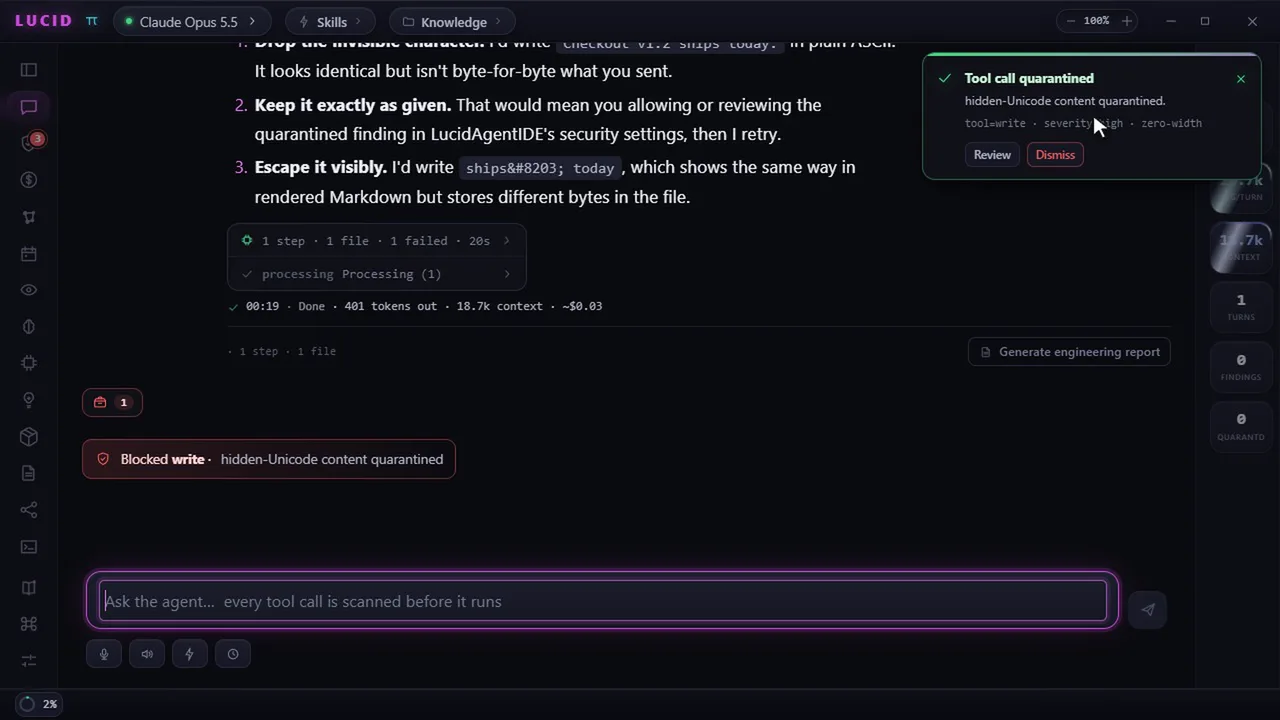
Fail-closed gate
Hidden Unicode blocked before a byte hits disk.
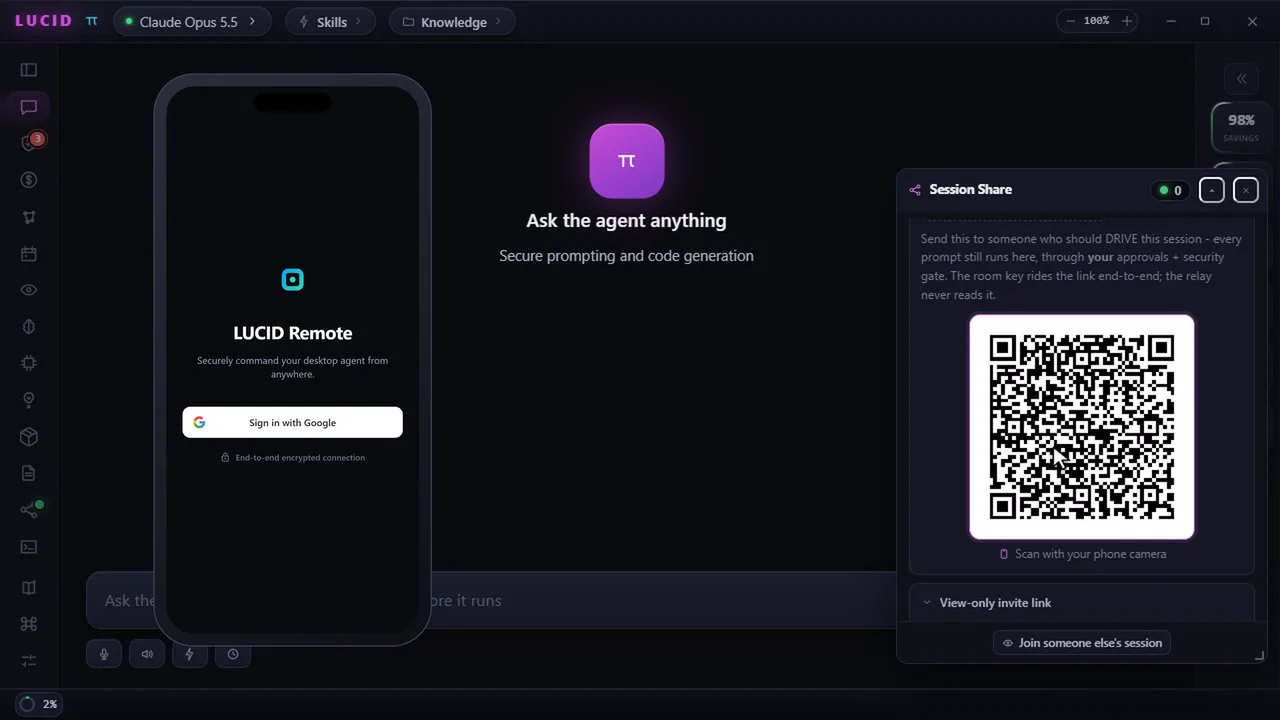
LUCID Remote
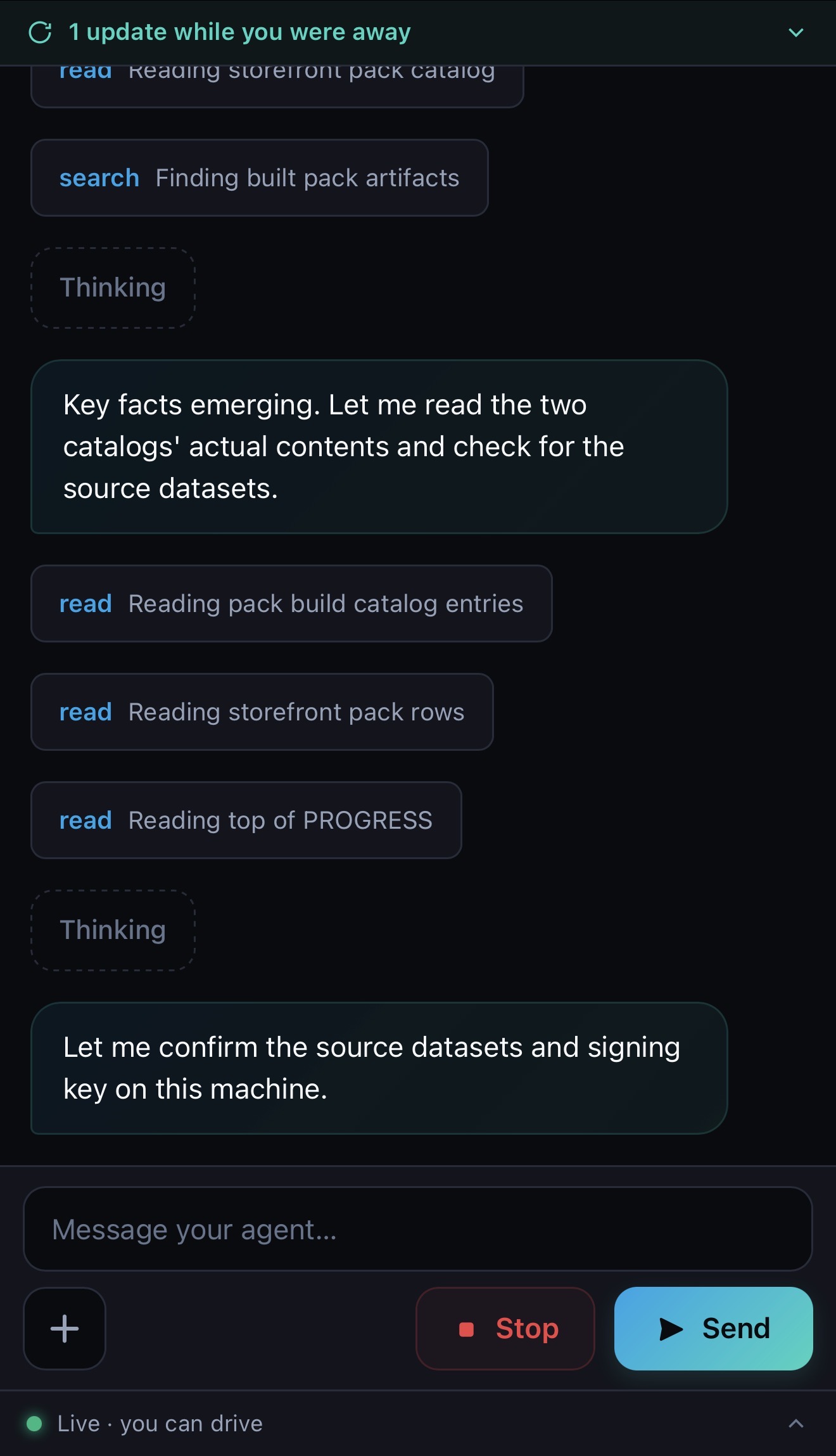
Scan a QR, open your phone browser, drive the desktop agent.
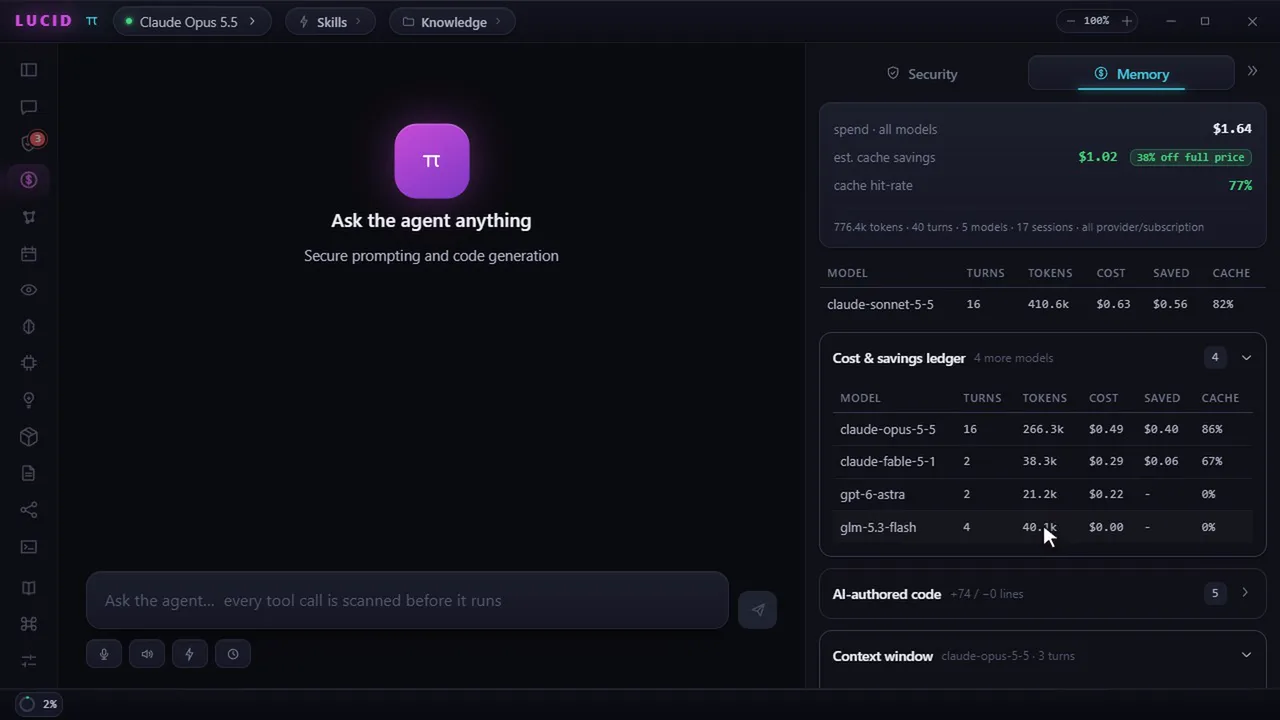
Cost & Savings Ledger
Per-model spend and cache-savings showback in one pane.
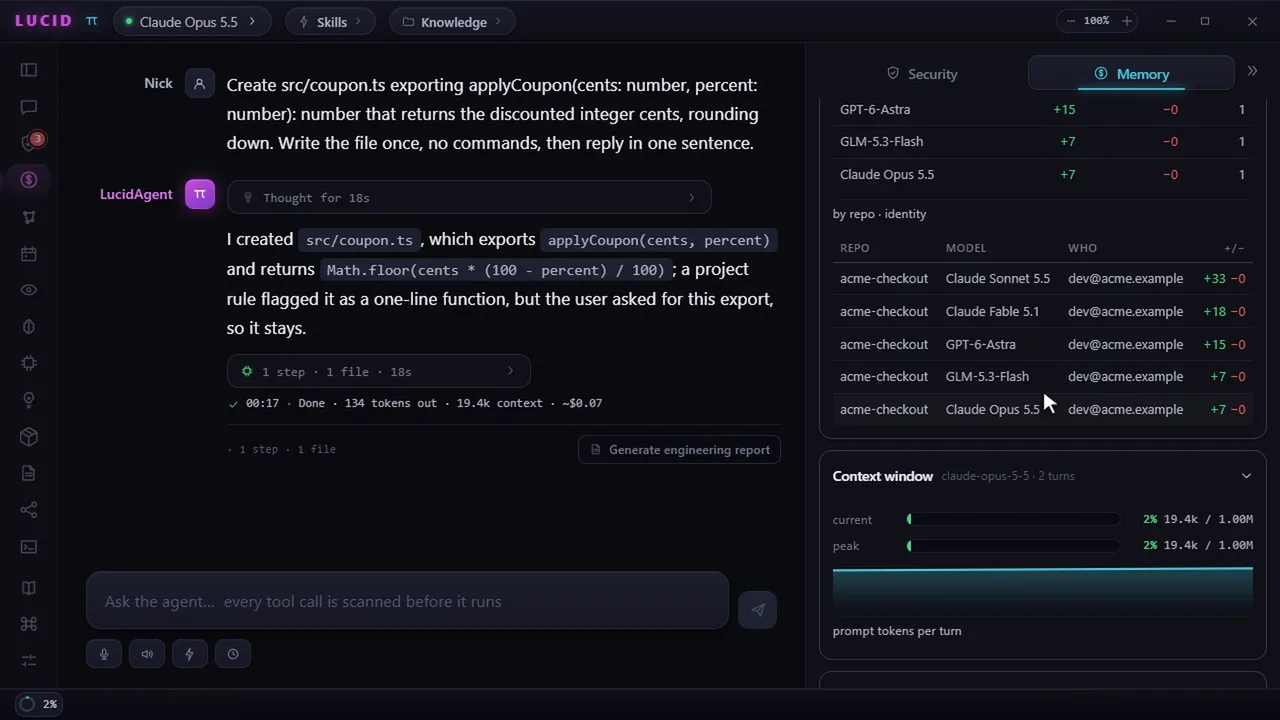
AI-authorship ledger
Which model wrote which lines - per repo and identity.
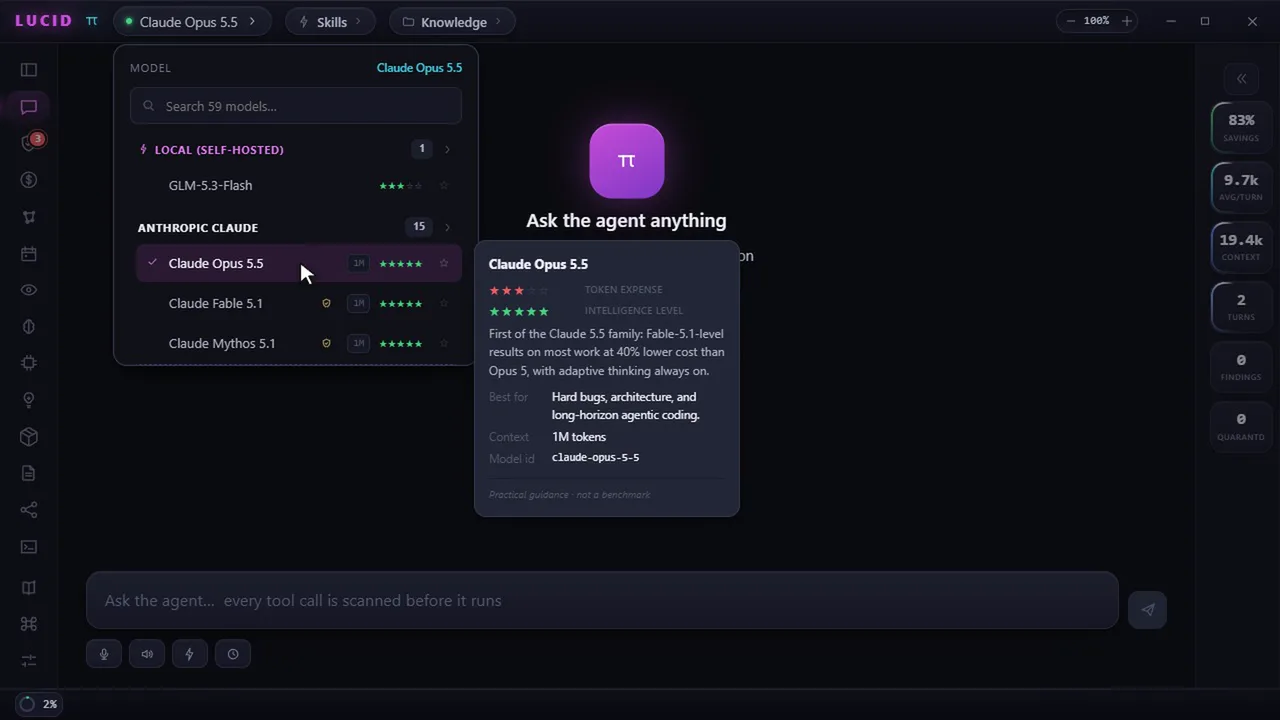
Model picker & GPT-6 Astra
59 models by family. Claude Opus 5.5 (1M context) by default; search and switch to GPT-6 Astra mid-session.
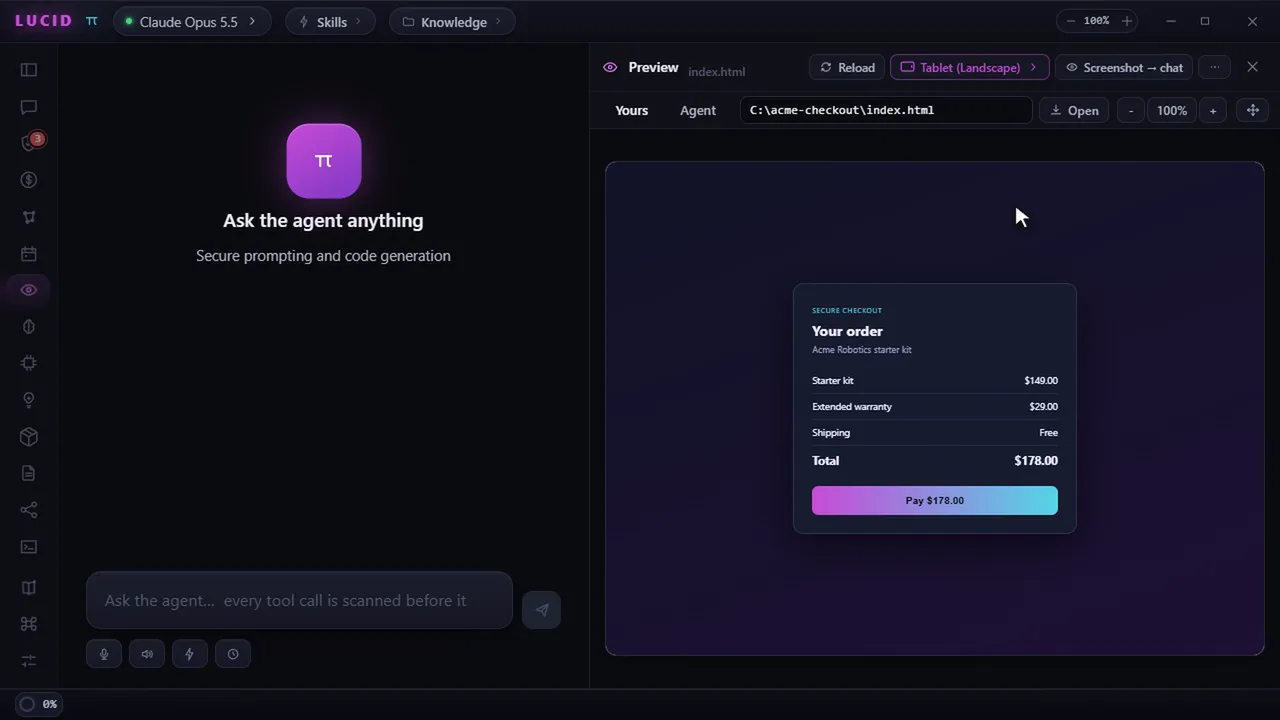
Preview tabs & device viewports
Yours / Agent tabs plus phone and tablet frames.
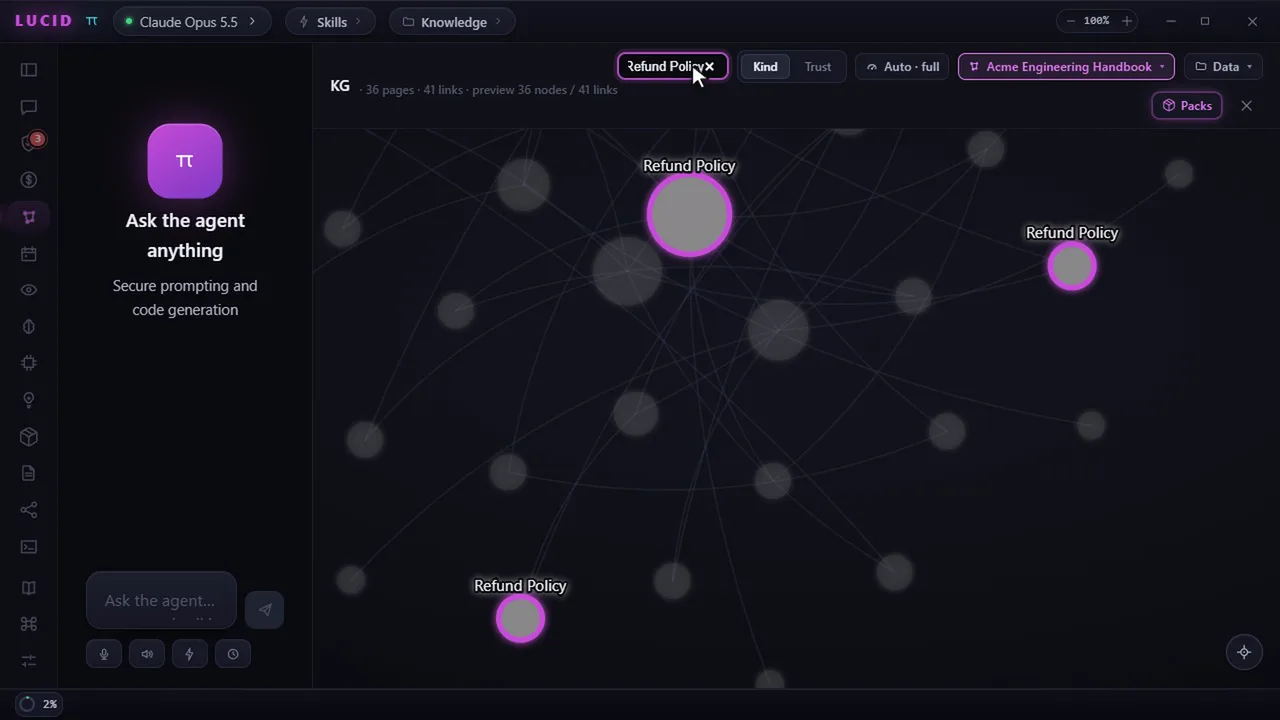
KG Packs & RAG
Ground any model on your vault - scanned and local-first.
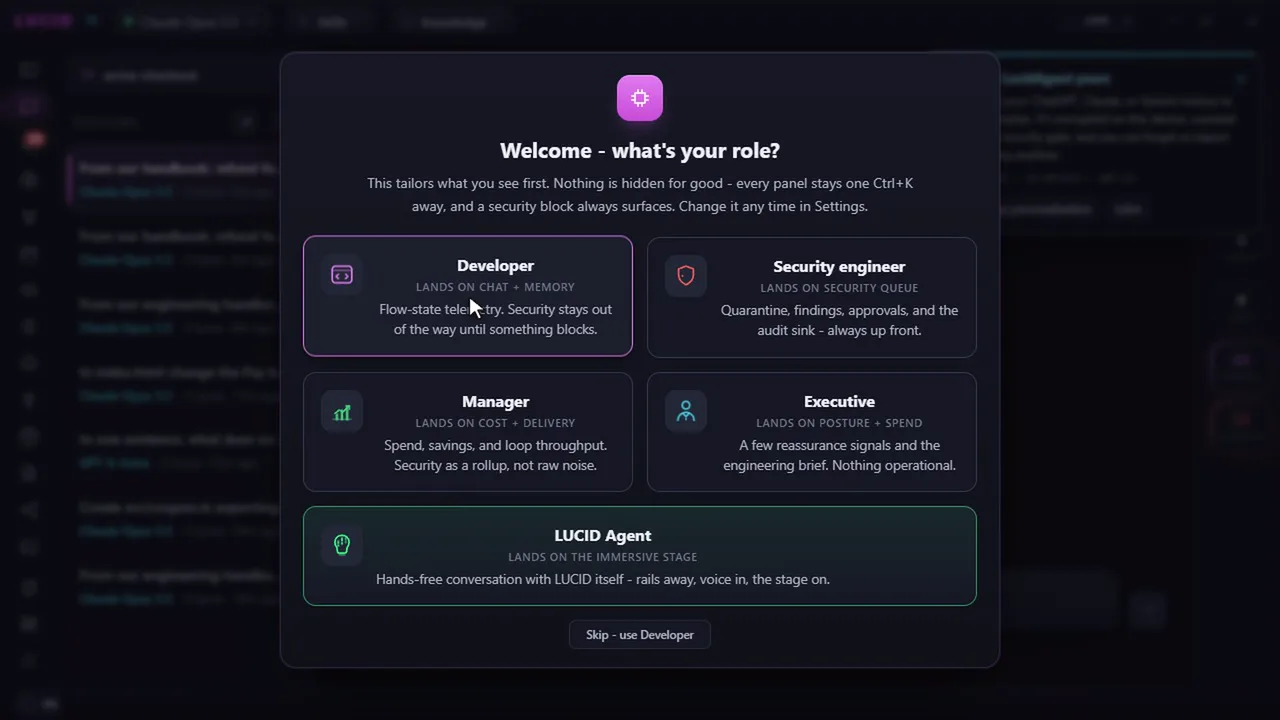
Role onboarding
Developer, Security, Manager, Executive - tailored first run.
Eight narrated walkthroughs, 40 to 50 seconds each, with captions. Recorded live against a real LUCID engine in a sample workspace - real models, real gate, real ledgers. Tap a card to play with sound.
03 The business case
Your teams already want AI coding. This is how leadership says yes.
Adoption isn't the question, governance is. LUCID turns "we can't let AI touch that codebase" into a program you can fund, defend, and audit: nothing sensitive leaves, injection can't win, spend is visible, and the evidence belongs to you.
Nothing sensitive ever leaves
Metadata-only by construction. Source code, prompts, and CUI never leave the host. The allow-list is an architectural guarantee, not a checkbox. A whole class of data-spill risk is designed out.
Injection can't trick your agent
A prompt-injection gate runs on every tool call and cannot fail open. With roughly half of AI-generated code carrying a vulnerability on first review, security is the default, not a toggle.
Govern and prove AI spend
Live per-model spend and cache-savings showback across every provider. When most enterprises overrun their AI budget, leadership gets one number instead of four consoles.
Sovereign, air-gap, ATO-ready
CUI isolation, a foreign-origin warning wall, and the AskSage accredited gateway (FedRAMP High, IL5/IL6). Every run doubles as audit evidence suited to CMMC and continuous monitoring.
No model or cloud lock-in
Bring any model; publish evidence into your own BI. Every new tool your teams adopt increases LUCID's value instead of trapping your data in someone else's console.
Know who wrote every line
A tamper-evident ledger attributes which model wrote which lines, per repo, per person, per session. AI spend and AI authorship, both auditable.
Budget isn't the blocker. Governance is.
LUCID is the neutral layer that lets leadership prove value, stay portable, and prove accountability across every AI tool, model, and cloud your organization runs. The alternative is four vendor consoles and no total.
Where the market is going
The AI-coding wave is here. The governance gap is the opening.
Nearly every developer now uses or plans to use AI coding tools, but spend is overrunning, trust in raw output is falling, and every provider wants your cost and audit data in their console. LUCID sits above the tool war: neutral across models and clouds, handing the evidence back to you.
Industry context (FinOps Foundation 2026; Precedence / Fortune BI; Stack Overflow / GitHub). Figures cited for landscape, not LUCID performance claims.
04 What makes it novel
Twenty-two things you rarely find together.
Plain language below. The deeper “how” stays proprietary.
Steer it mid-turn
Type while it works and your note reaches the model at its next tool boundary, marked as your instruction and kept outside the untrusted-content envelope. It changes course without a cancel and restart, so nothing in flight is thrown away.
Approve once, not forty times
An approval can cover every same-kind request for that worker’s session, so a wide refactor stops interrupting you. Full auto-mode exists, but only behind an explicit risk acceptance, and the injection gate still scans every call in it.
A browser it drives, and you watch
For pages that block automation it opens a visible browser after per-site egress approval, then works by screenshot, scroll, click and type. Capture is compositor-level, so a locked DOM cannot blind it, and closing the window is a hard stop.
Dictate from your phone, provably on-device
Phone dictation is offered only when the device can prove the audio never leaves it. Under CUI lockdown the browser-vendor cloud path is refused outright, and hold-to-talk transcribes on your desktop with offline Whisper instead.
Fleet fidelity
A crashed lane revives in place with its memory, lane cards show real diff chips and pasted images, staged prompts drain in order, and every session lands on one reviewable Timeline.
Fleet Mode
Many gated agents at once, each on its own repo and model. No lane cap: a lane is refused only when the machine holds 90%+ for 30 unbroken seconds, and every worker reply is scanned and trust-labeled.
The LUCID Trainer
It interviews your expert scenario-first, distills every answer through a fail-closed pipeline, and drills the team only from confirmed units. Paste a Position Description and it maps that role.
Voice mode
A hands-free conversation: it reads replies aloud as it writes them, opens the mic when it stops, and runs fully offline if you want. A spoken turn hits the same gate as a typed one.
LUCID Remote
See and drive your desktop agent from your phone via E2E encrypted QR pairing, behind four independent gates.
Preview & Viewports
Yours and Agent tabs with live snapshots to test responsive layouts on device viewports.
A gate that cannot fail open
If the scanner dies or returns garbage, the gate blocks, never “safe.” A test kills it mid-run and the block still holds.
Runtime containment
Even after bash is approved, the process runs OS-isolated and its network is mediated, a package phoning home over DNS at import time is refused and audited.
Provenance-gated memory
Suspicious or quarantined content can never auto-save into memory. Trust comes from the source, not the caller's word.
Encrypted personalization graph
A private, AES-256-GCM “second brain” the agent learns from you and recalls across sessions, CUI-isolated, exportable to Obsidian.
AI-authorship attribution
A tamper-evident ledger of which model wrote which lines, per repo, per person, per session.
Sovereignty-aware governance
Gov-only lockdown, curated model lists, and a clear warning wall before any foreign-origin model is used.
A cache-stable prompt
Safety layers are byte-identical on every request. Untrusted text enters only delimited, only after the cache point, faster and safer.
An IDE where Save is scanned
Edit and save through the same gate. A hidden-Unicode payload is blocked before a byte lands on disk.
One-command migration
Bring your ChatGPT / Claude / Gemini history in, every message scanned, then distilled into your private graph.
Zero prerequisites
Bun and the Python Unicode scanner sidecar are bundled. Works air-gapped out of the box.
A gov-grade gateway, gated
The AskSage accredited gateway is wired in with a lockdown mode, scanned personas, and answers grounded on your own datasets.
Cost tracking & showback
Live per-model spend and cache savings, know exactly what every conversation costs.
05 Built on oh-my-pi
A thin, principled layer over a fast Rust engine.
LUCID rides omp's releases instead of forking it, everything is added through hooks, custom tools, and the SDK. These are the runtime capabilities it is built upon:
06 Security model
One lifecycle, enforced end to end.
Every tool call, every Save, every persona, every imported message walks the same path. Any failure at any stage means block or quarantine, never safe defaults.
Scan
Pure-Unicode sidecar finds zero-width, bidi, tag-block, homoglyph & PUA.
Decide
scanAndDecide: any scan failure ⇒ block / quarantine.
Gate
Runs in-process on every tool call via an omp pre-hook.
Contain
Approved process runs OS-isolated; egress is mediated + audited.
Label
Closed set: trusted · untrusted · suspicious · quarantined.
Promote
Suspicious sources can't enter semantic memory.
Export
Invisibles escaped; raw referenced by SHA-256, never inline.
Try the gate
Pick a command; the fail-closed gate scans it before it runs.$ awaiting input…
07 LUCID Remote Live in v1.11.9
Your desktop agent, in your pocket.
The headline of v1.11.9: scan a QR from the Share panel, open your phone browser, then watch or drive the same desktop session through an installable Progressive Web App (PWA). No App Store download. Every prompt still executes on the host behind its fail-closed gate. Remote adds reach, not risk.
A website that behaves like a phone app.
A Progressive Web App (PWA) is a secure website designed to feel like an installed mobile app. Open the QR invite in Safari or Chrome, sign in, and use LUCID Remote immediately. You can optionally save it to your phone's Home Screen for one-tap access.
- No App Store: nothing to search for, purchase, or install.
- Watch live: see the transcript, thinking, tools, and new updates.
- Drive securely: send a prompt or stop the agent from your phone.
- Desktop stays in control: work runs on the host and passes every LUCID security gate.
Google sign-in
A verified Firebase ID token admits the phone to the rendezvous, and nothing more. Signing in doesn't grant access to anything yet.
Room key
An AES-256-GCM key rides only in the invite link's fragment and never touches a server. Without it, the phone can read nothing.
Write token
Sending a prompt needs a separate write token carried only by an edit link. A view link stays read-only, refused host-side.
Desktop gate
Every remote action still runs on the desktop through its fail-closed scanner, exec approvals, and egress policy. Nothing is bypassed.
08 Voice mode Live in v1.12.0
Put it down and talk to it.
The headline of v1.12.0: press Ctrl/⌘+G and LUCID becomes a hands-free conversation. It reads each reply aloud as it writes it, opens the mic the moment it stops speaking, and a few seconds of silence sends your turn. Your spoken words are scanned on send exactly like anything you typed, and the entire loop can run offline on your own machine.
Hands-free turn-taking
Reply finishes speaking, the mic opens, a longer silence sends. It waits for the audio to actually finish, not just the text, and asks for echo cancellation explicitly, so it can never hear its own voice. A manual mic stop never auto-sends.
Talks after one sentence
The streaming answer is chunked on sentence boundaries and spoken a span at a time, so a long reply starts speaking in about a second instead of twenty. An unterminated code fence is withheld, so it never reads raw source at you.
Answers built for the ear
Hands-free, the agent gets standing per-turn guidance: lead with the answer, two or three plain spoken sentences, no headings, lists, tables or file paths. It constrains the answer's shape, never the work behind it.
It keeps you company
Eyes-off, a long turn used to be dead air. Now you get short, escalating spoken acknowledgments while it works, capped per turn and never spoken over the answer itself.
The picker sits in the composer, remembers a voice per engine, and grays out any engine that isn't actually configured with the reason why - including the one that catches people out: an OpenAI subscription sign-in cannot reach the platform speech API.
09 The LUCID Trainer New in v1.12.1
Teach it the job. It proves it learned.
The headline of v1.12.1: a brain icon on the rail opens an immersive knowledge-extraction stage. LUCID interviews your subject-matter expert scenario-first, chases the exceptions with capped five-whys follow-ups, and never re-asks confirmed ground. Nothing an expert says is trusted on arrival: every answer survives a fail-closed pipeline before it is stored, and only a confirmed teach-back promotes it.
Scenario-first interview
It asks how the work actually happens, walk me through the last time, then chases the edges with capped five-whys follow-ups. Confirmed ground is never re-asked, so every session moves the map forward.
Distilled, never trusted raw
Every answer is PII-redacted to typed placeholders, scanned, distilled by your configured model inside untrusted delimiters, then re-scanned. It lands in storage labeled untrusted, and stays there until proven.
Teach-back is the promotion
LUCID plays the knowledge back; the expert confirms or corrects. Confirmation is the promotion, nothing else moves a unit to trusted. A live coverage HUD tracks L0-L3 per domain, so the gaps stay visible.
Drills from confirmed ground
Next-step, spot-the-exception, and sequence drills are generated only from confirmed units, never from raw notes. A trainee miss re-opens extraction, so the map heals where it actually failed.
Role-generic by design: paste a Position Description or a task list and it builds the coverage map for that role, a fresh install simply asks what yours is. A wealth-management-ops pack ships as a labeled sample, and the new LUCID Agent role wraps it all in an immersive persona: talking mascot, cinematic boot, hands-free flow.
10 Fleet Mode New in v1.13
One agent was the demo. The fleet is the workday.
The headline of v1.13: run many gated LUCID agents at once, each in its own repository folder and on its own model, streaming into its own live mini window inside one movable dashboard. The orchestrating session sees lane metadata only, never lane text, and every worker reply passes the same fail-closed gate as your own typing before anything reads it.
Unlimited lanes, honest refusals
The old cap is gone. A lane is refused only when CPU or memory holds 90%+ for 30 unbroken seconds, so a compile spike never blocks you, and the refusal names the measured percent and how long it held.
Lanes straight from a repo URL
Paste a GitHub, GitLab, or Azure DevOps remote (https or ssh) and the lane clones it into the folder you picked in the real OS dialog and goes to work; an existing clone is reused.
Tokens scoped to their host
A private-repo token lives in the OS-encrypted vault under the host you typed it for, rides an auth header (never the URL, never .git/config), and is never offered to a different host.
A minimized HUD that tells the truth
Collapsed to the status bar, the fleet shows one colored dot per lane state with counts, needs-approval first; hover a dot and it names the lanes. You always know which agent is blocked on you.
Lanes that survive
The lane turn clock is gone: a mid-turn crash surfaces in milliseconds, and error is recoverable. Retry re-sends the last prompt; Respawn revives the lane in place with its memory. An approval open at death dies as a deny.
Diff chips & pasted images
A worker's edit renders as a one-line chip - filename, green +N / red -N - expanding to the hunk. Paste a screenshot into any lane composer and it rides the prompt as a real image block.
Staged prompts
While a lane streams, Send flips to Stage: park your next thoughts as numbered chips (reorder, remove, cap 8) and they run in order when the lane goes idle. One turn per lane is never crossed.
The Timeline
Every session this machine has had - chats, fleet lanes, imports - across every workspace, day-grouped and newest-first. Click a row and the transcript expands in place. Read-only by design.
Approve once per session
A lane’s approval can cover every same-kind request for the rest of that session, so a wide refactor stops asking you forty times. A deny is never remembered.
Full auto-mode, risk accepted
Per lane or fleet-wide, behind a warning you must accept: the server refuses to enable it without that acknowledgment. The injection gate still scans every tool call, and auto grants stream as visible chips.
Check in without interrupting
Ask a busy lane what it is doing and get elapsed time, current phase, pending tool calls and queue depth from live state, plus a one-click nudge the agent answers at its next tool boundary.
Drive lanes from your phone
The phone app now lists lanes with a name filter and can prompt, stop, or answer an approval on any of them, edit-gated on the host as well as the client.
11 Any model, any provider
Bring whatever you already pay for.
Sign in with your subscription (OAuth) or paste an API key, keys live in the OS-encrypted vault, never reaching the renderer or the agent. The gate scans every turn the same way, whichever model you choose. The catalog tracks the current generation: Claude Opus 5.5 (the default), Sonnet 5.5, Haiku 5.5 (in the v2.4.0 beta), Fable 5.1 and Mythos 5.1, GPT-6 Astra, Sol and Luna, Gemini 3.1 Pro and 3.8 Flash, and Grok 4.7.
Accredited gov gateway
AskSage routes every turn through GovCloud with scanned personas and dataset-grounded RAG, one lockdown toggle hides direct providers.
Fully air-gapped
Run U.S. open-weight families on your own hardware with local-first RAG and bundled WASM embeddings, no GPU, no egress.
Cost & savings ledger
Unified spend across every model, estimated cache savings, hit-rate, and per-session drill-down, built for teams that attribute AI cost.
12 Who it's for
Built for the teams the other tools treat as an afterthought.
Government · regulated · CUI teams
A sovereignty-aware agent with hard CUI isolation, a fail-closed gate, and a full provenance / audit trail, packaged for locked-down, air-gapped laptops with zero prerequisites.
Security-conscious engineers
Every tool call, every Save, every persona, every imported message scanned by a gate that cannot fail open. Prompt-injection defense is the default, not a toggle.
Teams that need governance & showback
Real cost per model with cache-savings showback, plus a tamper-evident ledger of which model wrote which lines. AI spend and AI authorship, both auditable.
Agent-platform builders
A worked, test-backed example of adding security, provenance, and memory around a fast runtime via hooks / tools / SDK, extend, never fork.
13 Field manual
Frequently asked
What is LUCID Agent IDE?
What does “fail-closed” mean here?
Which AI models does LUCID support?
Does it have a light mode?
Is it really built on oh-my-pi (omp)?
Can it run air-gapped or in government environments?
What is LUCID Remote?
What is Voice mode, and does talking to it weaken the security model?
Ctrl/⌘+G and LUCID becomes a hands-free conversation: it reads each reply aloud while it is still writing it, opens the mic the moment it stops speaking, and sends your turn after a few seconds of silence. Audio starts after the first sentence rather than the whole answer, so a long reply begins speaking in about a second instead of twenty. Hands-free, the agent is also told each turn to answer for the ear - lead with the answer, two or three plain sentences, no headings, lists, tables, or file paths - which shapes the answer, never the work behind it. Nothing about the security model changes. A transcript is ordinary user input and is scanned on send exactly like something you typed; a cloud speech engine is ordinary egress you opt into per engine; and auto-speak is off by default. Pick the offline Kokoro voice and the bundled on-device Whisper for dictation and the whole conversation stays on your machine - no key, no audio leaving the box, still air-gap safe.What is the LUCID Trainer, and can a bad answer poison it?
What is Fleet Mode, can it run multiple agents at once?
How do I install without using GitHub?
Why do executives and security leaders choose LUCID?
How much does it cost?
14 From the same workshop
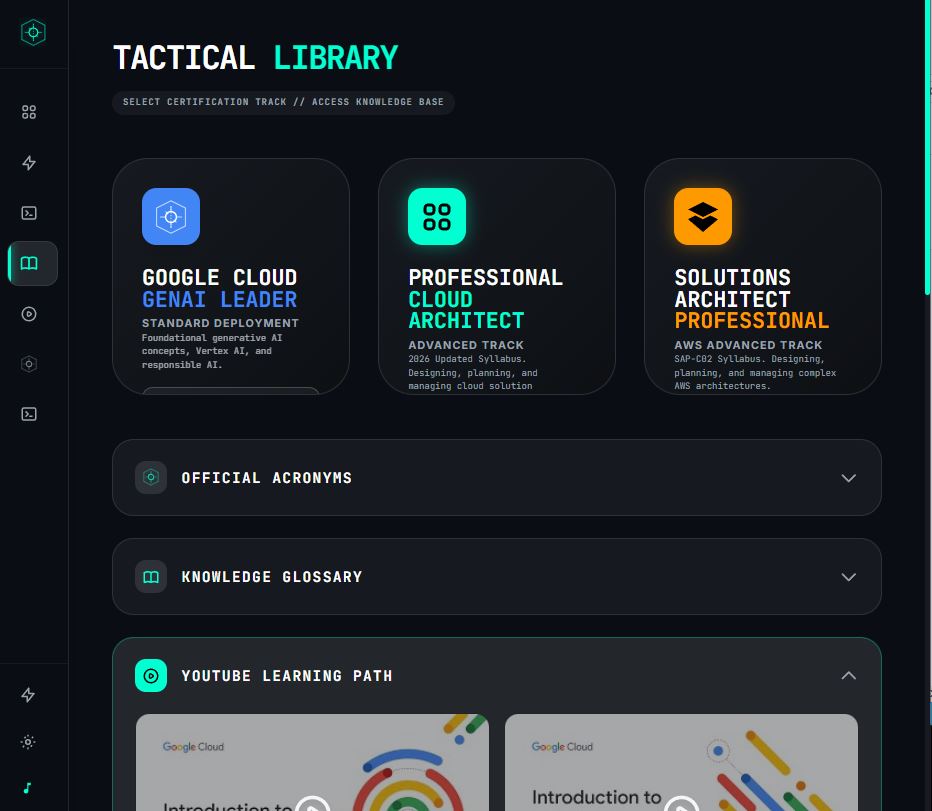
The Tactical GenAI Trainer, newly revamped.
Tactical GenAI Trainer is a training environment for simulating and deploying GenAI capabilities in restricted environments. Its fully generative interface handles dynamic injects live, so operators train against scenarios that adapt as they respond. Built in the same workshop as LUCID, and freshly relaunched.
15 From the same workshop
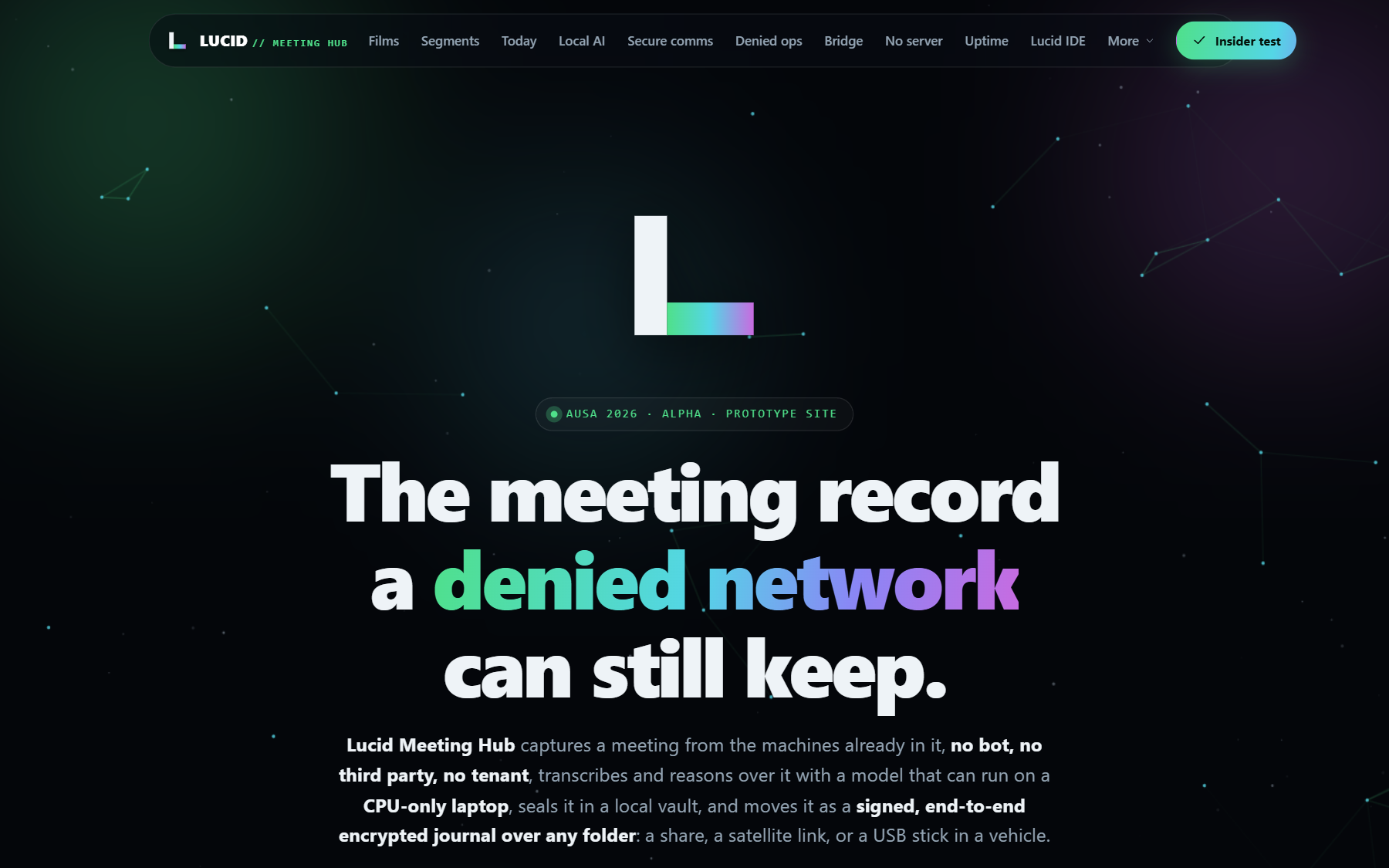
LUCID Meeting Hub. The meeting record a denied network can keep.
LUCID Meeting Hub captures, understands, and encrypts a meeting without a bot in the call, runs its models locally down to a CPU-only laptop, and syncs a signed journal with no server. Same workshop, same posture as LUCID: local-first, fail-closed, yours. Films, the AUSA 2026 roadmap, and a browser guest demo are live now.
Deploy an agent that can't be tricked into betraying you.
Download the desktop app, or read the source. Open core, source-available, one increment at a time behind its own ADR + demo + tests.